Sheets of labels that go through the laser or inkjet printer you own.
No machine to buy, no ribbon, no software — load a sheet, print, peel.
Twenty-nine layouts, from one label filling the
page down to sixty-five on a sheet, in white and six colours. A hundred sheets to a
box.
Got a label printer already?Roll labels are through here — direct thermal and thermal
transfer, any standard size, and far cheaper per label than a sheet.
Need thermal transfer ribbons?Click here — wax, wax-resin and resin, in both printer
sizes.
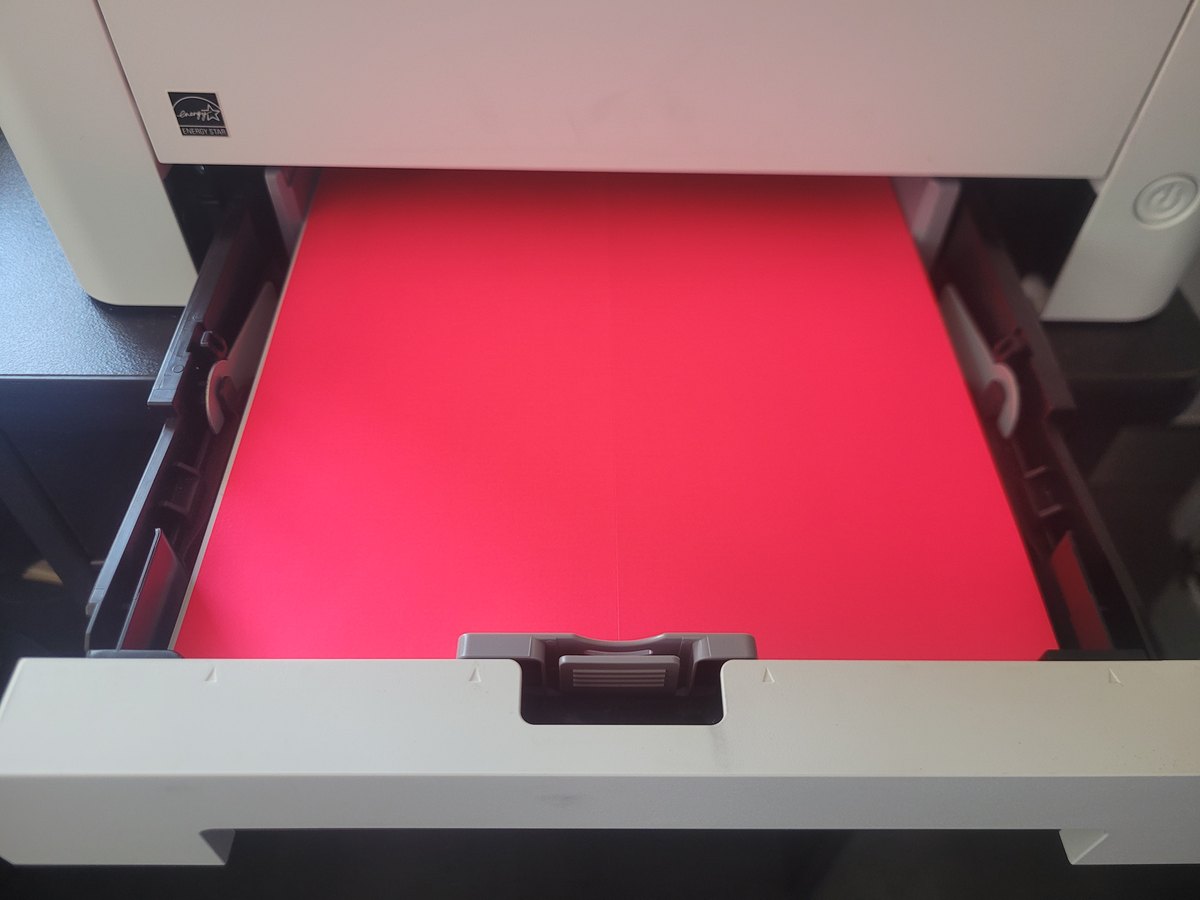
Fluoro pink, four labels to the sheet, loaded in the drawer of an ordinary office
laser printer. That is the whole idea. No machine to buy, no ribbon to
thread, no software to learn — the printer down the hall already does it.
Before the sizes
Whether a sheet is the right answer.
It often is, and it is the one thing a barcode company has an
incentive not to tell you. So here is both halves of it.
When a sheet is right
Low volume, and nothing to buy
A few dozen labels a week, an office that already has a printer, and no appetite
for a machine, a ribbon, stock and software before the first label comes out. Print
what you need on the equipment you own. For a small operation or a job that happens
twice a year, that is the sensible purchase and we will say so.
When it stops being right
Four things that end it
Cost per label is considerably higher than a dedicated label printer, and it
is the reason most people move. The range is smaller — far fewer sizes,
colours and materials than roll stock.
One label costs you thirty. Print a single label off
a sheet of thirty and the other twenty-nine are spoiled. And laser printers eat
them: a curved paper path jams sheet labels, and the heat inside the machine
gets into the adhesive.
If you have outgrown sheets, we will tell you. The cheapest desktop machine
that ends the problem is on the printers page, and the
roll stock that goes through it costs a fraction of this per
label. We would rather sell you the right thing once.
The range · 29 layouts, 261 ways to buy them
Find the sheet, by the number on the box.
Every one of these is sold by the box of a hundred sheets. If you
have an old box, the layout number on it is all you need.
Showing all of them.
200 × 290 mmWhite · 1 per sheet
210 × 296 mmYellow · 1 per sheet
200 × 144 mmOrange · 2 per sheet
210 × 148 mmRed · 2 per sheet
210 × 99 mmFluoro Pink · 3 per sheet
99 × 139 mmGreen · 4 per sheet
105 × 148 mmBlue · 4 per sheet
99 × 93 mmWhite · 6 per sheet
99 × 68 mmYellow · 8 per sheet
105 × 74 mmOrange · 8 per sheet
99 × 57 mmRed · 10 per sheet
64 × 72 mmFluoro Pink · 12 per sheet
65 mm roundGreen · 12 per sheetRound
99 × 38 mmBlue · 14 per sheet
99 × 34 mmWhite · 16 per sheet
105 × 37 mmYellow · 16 per sheet
64 × 47 mmOrange · 18 per sheet
50 mm roundRed · 20 per sheetRound
99 × 25 mmFluoro Pink · 20 per sheet
64 × 38 mmGreen · 21 per sheet
64 × 34 mmBlue · 24 per sheet
70 × 35 mmWhite · 24 per sheet
64 × 25 mmYellow · 30 per sheet
64 × 27 mmOrange · 30 per sheet
64 × 24 mmRed · 33 per sheet
70 × 25 mmFluoro Pink · 33 per sheetAlso cut 70 x 25.4 mm
32 mm roundGreen · 40 per sheetRound
58 × 18 mmBlue · 45 per sheet
38 × 21 mmWhite · 65 per sheet
Nothing here matches that. Try clearing a filter
— and if you are measuring an old sheet, the layout number printed on the box is
easier to go on than the millimetres.
Those numbers the other way round would find
something.
No prices on this page yet, and that is deliberate. A4 sheets are bought by
the box and the sensible price depends on how many boxes and how often. Rather than
publish a number that is wrong for most people,
tell us the layout and the quantity and the answer comes back
with a price either way.
Freight depends on how many and where to. One box and
a dozen are not the same parcel, and larger orders ship free. The quote covers the
freight as well as the labels, so there is nothing to work out afterwards.
How these are supplied
A box is a hundred sheets. Always.
01
Laser, inkjet or copier
The matt stock goes through all three. Gloss is laser and copier only —
inkjet ink sits on top of a gloss face and smears rather than drying into it. That
is a limit of the stock, not of the printer.
02
Permanent, or peels off clean
Most of the range is permanent. One line in each layout is removable, which lifts
off glass, plastic and painted metal without leaving a residue — the right
choice for anything temporary, and the wrong one for anything that has to stay.
03
White, and six colours
Yellow, orange, red, green, blue, and a fluoro pink, in every layout. Colour is
how a warehouse separates two jobs at a glance without reading anything, and it
costs more per box than white does.
When it goes wrong
A faint copy of the last line, somewhere it should not be.
The commonest fault with labels through a laser printer, and it
looks alarming. It is almost always the cheapest thing on this list, and it is worth
knowing why before you buy a drum you do not need.
It is drum memory. Toner does not fully release from the drum, and the drum
lays it down again one circumference later — which is why the ghost lands in a
different place on the same sheet, or on the next one, rather than directly under
the thing that caused it.
Label stock makes it worse, and that is not a fault in
the labels. The sheets are thicker than paper and the adhesive layer insulates,
so the fuser runs cooler against them than it was set up to. Under-fused toner is
exactly what sticks to the drum.
01
Look at how much toner is left
A cartridge near the end cannot lay an even layer down, so transfer goes patchy
and the drum holds the image instead of releasing it. It is the commonest
cause and the easiest to miss, because the page still looks printed —
just dirty. If the low-toner light is on, or you are shaking the cartridge to get
another few pages out of it, stop there. That is almost certainly your answer.
Check the real figure rather than the light. Most
network printers have their own web page — type the printer's IP address
into a browser and it will give you a percentage per cartridge. A printer can
ghost for a while before it refuses to print, so the light is the last warning
rather than the first.
02
If you have just changed the toner, give it a few dozen pages
A new cartridge can ghost from the moment it goes in and then stop by itself.
It is the only cause on this list that fixes itself, and it is the one most
likely to have you redesigning a label that was never at fault.
It caught us out on our own re-order labels. A new
black cartridge went in and the first sheets ghosted; the next day the same file
— not one thing changed — printed clean twice over. Run a stack of
plain paper through, print it again, and only then start changing things.
03
Tell the driver it is not paper
Set the paper type to Heavy, Labels or Cardstock rather
than Plain. It slows the feed and raises the fuser temperature, which is the
actual problem. This fixes it on its own more often than not, and it costs
nothing but a tick box.
04
Run three or four blank sheets through
Plain paper, straight after the label job. It scrubs the drum clean before the
next thing you print, so the ghost does not follow you onto an invoice. Worth
doing as a habit whether or not you have a problem.
05
Find the biggest solid block of black and break it up
It is not how much black is on the sheet, it is how concentrated it is. A
barcode is thin bars with white between them, so the toner is spread thin and
the drum recovers between bars — a sheet carrying forty barcodes can come
out clean. A big solid headline, a logo or a QR block is a continuous mass of
toner in one place, and that is the part that does not fully release.
Make it smaller, break it up, or drop it from solid black to 90%. Reducing the
type size is the quickest thing to try, but be aware how easy it is to credit a
change that was not the cause — if you have just changed the toner, work
through step 02 before you redesign anything. To work out which element did it,
measure from the ghost back to the real thing:
that gap is one turn of the drum and it is the same on every sheet from that
printer, so whatever sits that far ahead of the ghost is what caused it.
06
Then, and only then, look at the drum
If the five above change nothing, the drum is near the end of its life.
Ghosting is one of the classic symptoms. It is last on this list because it is
the only one that costs money, and because three times out of four it is not
the answer.
None of this is specific to our labels. It happens with any brand through any
laser printer, and it is the reason the box says heavy stock settings. If you have
worked through all six and it is still ghosting,
tell us what the printer is and we will tell you what we know.
Ask for a price
Three things and we can quote it.
None of them are compulsory — if you only know some of it,
send what you have. A photograph of the box the last lot came in answers all of it on
its own.
Not sure a sheet is what you want?
Send a photograph of the box, or of the thing you are labelling.
Thirty-five years of this says the answer is usually obvious
from the picture.