The path is moulded into the machine. People still get it wrong.
Every one of these printers has lines and markings inside the lid showing you where the ribbon and the labels go. We have still seen plenty loaded wrongly — so here is one loaded right, and the three ways it usually goes wrong, in photographs.
If it is clicking, stop and read the second one. That noise is costing you a part.
Same basic layout across the industrial range.
The photographs are our own ZM400, and it is close enough to go by for the Z4M, the ZT410 and ZT411, the S4M, and the Stripe 300, 400 and 600.
The parts sit in slightly different places between them. What does not change is the two things that actually matter: which way the ribbon comes off its roll, and whether the labels run under the dancer plate.
What a correctly loaded machine looks like.
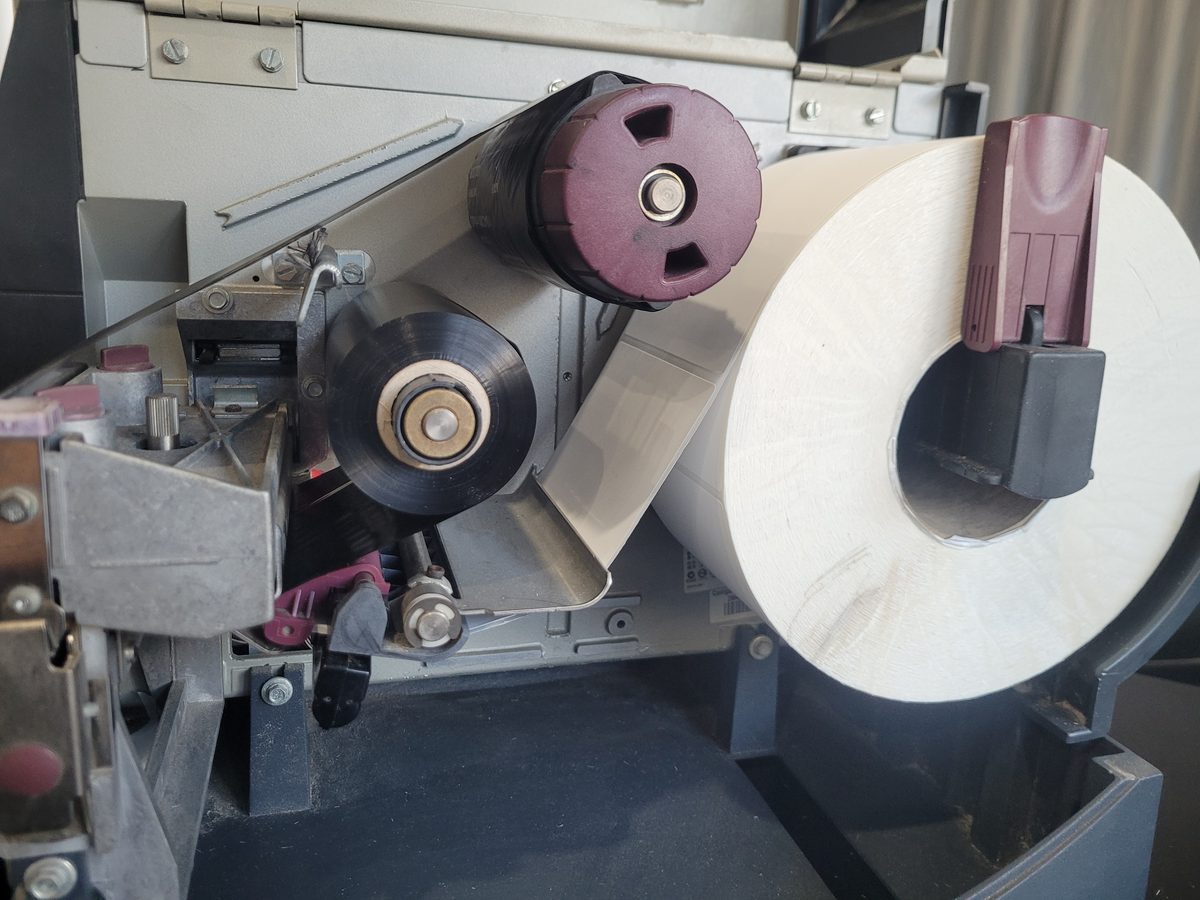
Ribbon in backwards — and this one makes a noise.
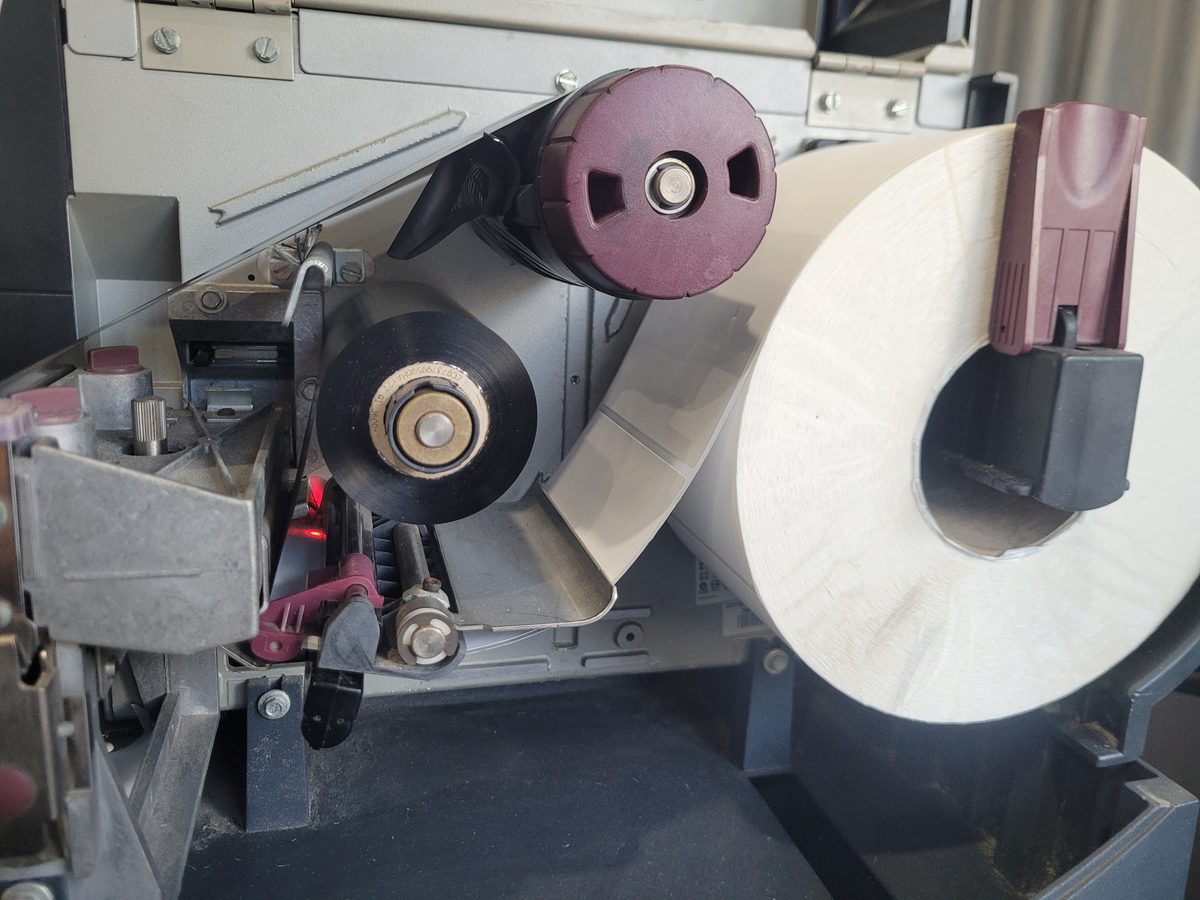
Why the direction matters: these printers use ribbon ink side out.
The ink has to face the label. The two meet at the point of contact at the top of the platen roller at the front — the roller that pulls the labels through — and the printhead heats up there to melt the ink off the ribbon and onto the label.
Load the ribbon the wrong way round and the ink is facing the printhead instead of the label. So the printhead burns the ink where it sits, and nothing transfers. You get a printer that sounds like it is working, a ribbon that is being used up, and blank labels coming out of the front.
And it is damaging the printer while it does it. Left like that the ribbon will break the spring on the supply spindle it is sitting on — and before it does, it clicks.
That noise is the thing worth knowing. A printer that was quiet yesterday, clicking today, and somebody changed the ribbon this morning: that is the whole diagnosis. Open it, turn the roll round, and you have saved the spindle.
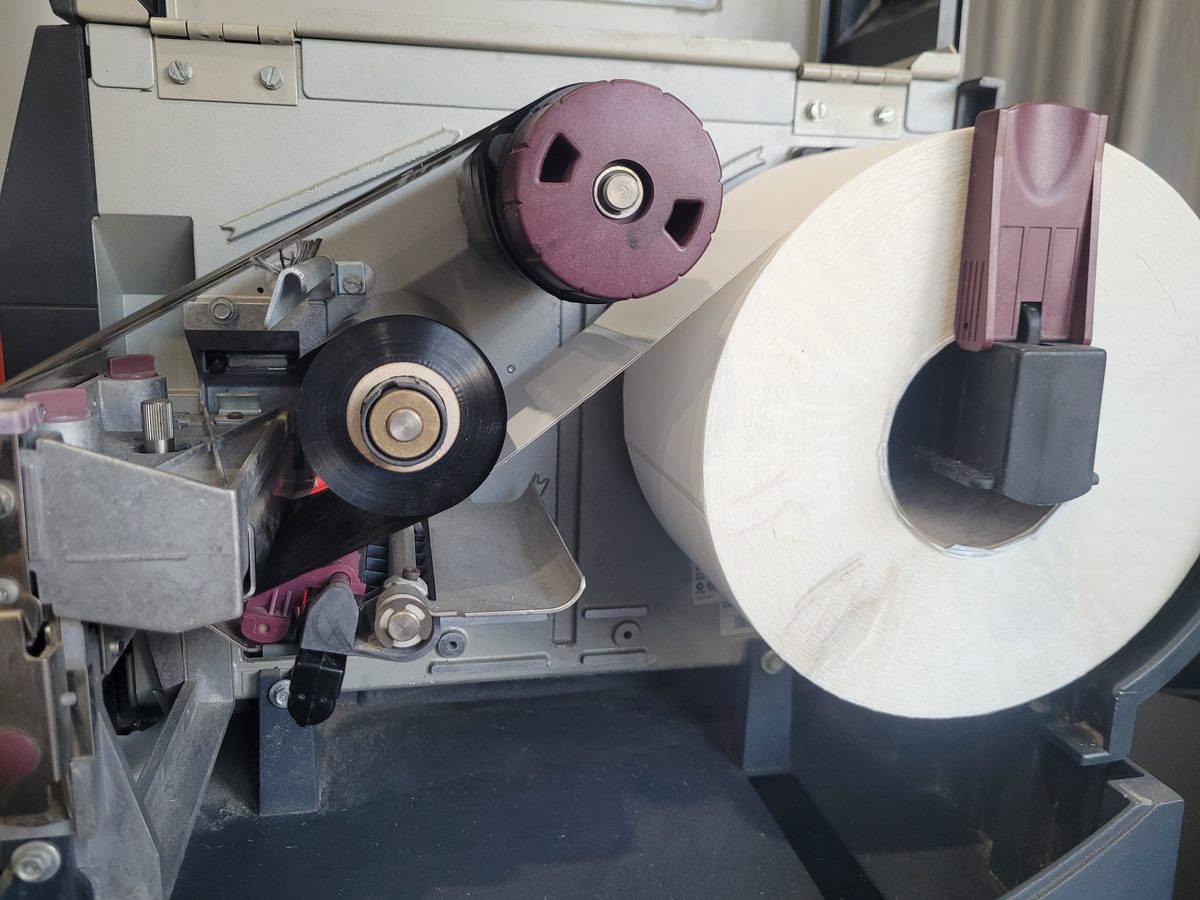
Labels not under the dancer plate.
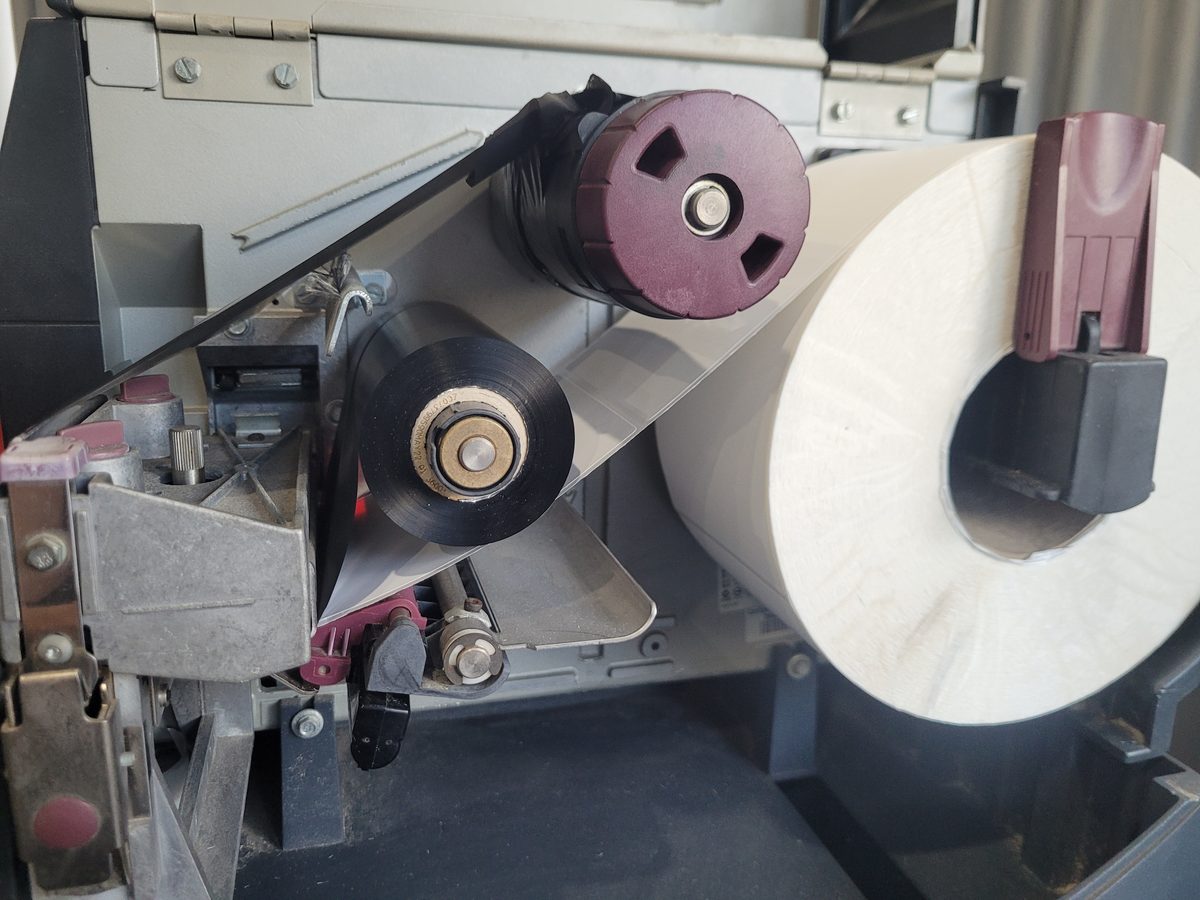
Both at once.
If it still is not right.
Labels coming out in the wrong place — feeding two for one, skipping, printing over the gap — is a calibration and sensor question rather than a loading one. Feeding, skipping and printing over the gap →
Printing too light is usually speed against burn temperature, and both are free to change. When it prints too light →
A white line down every label is none of the above. That is a burnt-out element and the head is finished. Printheads, and how to pick the right one →
We will talk you through it with the lid open.
We keep these machines here, so we can look at the same thing you are looking at while you are looking at it. It is quicker than a manual and it is free.
And if it turns out to be the machine rather than the loading, that is a different conversation and you get the price before anything is booked — Zebra service and repairs →
0414 53 53 95, or andrei@barcodedatalink.com.